How to update Employee ID?
Step’s on how change or update employee ID for NODIS?
NOTE: this Procedure will completely work on CHROME browser .
Step 1: Visit to depednodis.net
-> click login
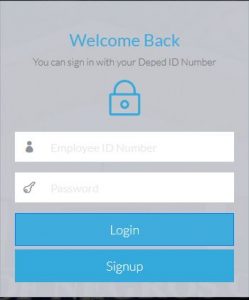
Figure 1.1 shows the login Interface. Click Signup to register new employee.
Step 2: Select Management Tool on the left side.
->Select Manage Account
-> Select the district -> Station level -> Station of the employee
->Click Search
-> Click on the pencil icon on the left side.
->ENTER CORRECT AND VALID EMPLOYEE ID
-> Click VERIFY if ID is available
->Click Update then YES or Continue
-> Reload the browser or click the search button again, to reload updated records.

Note: Please make sure that employee ID entered is correct. Do not guest any available ID it may cause error of registration to new Employee.
If ENTERED Employee ID NOT AVAILABLE?
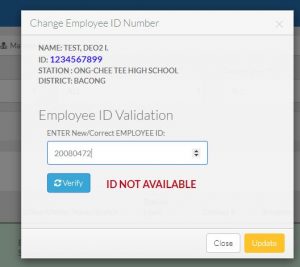
Recheck on the correct Employee ID ENTERED. if still, have an error , Contact the NODIS Dev Team.