Change own user password?
Step’s on how to change own account credentials.
NOTE: this Procedure will completely work on CHROME browser .
Step 1: Visit to depednodis.net
-> click login
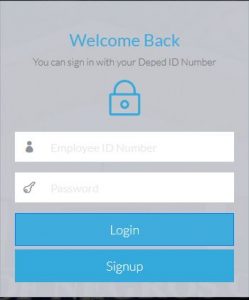
Figure 1.1 shows the login Interface. Click Signup to register new employee.
Step 2: Select change password on the right upper part Navigation .
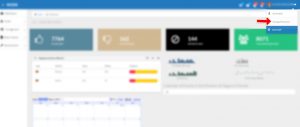
Step 3: Fill up all required fields.
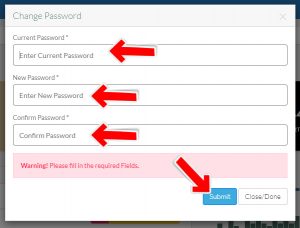
Step 4: Enter Old Password, that will match the current password.
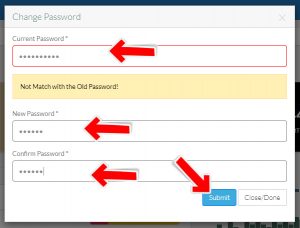
Step 5: Enter New Password and Confirm new password.
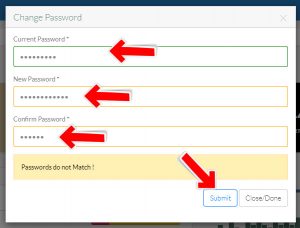
Step 6: Enter Password at least 8 characters.

Step 7: A successful message will show if the fields requirements are completed.
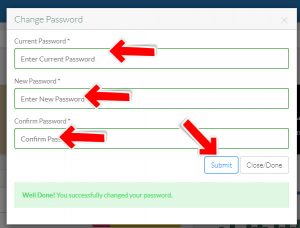
Note: To complete the process, close the window tab.